Getting started
A ten-minute tour on a small example: a steel cask full of fuel pins, standing on a concrete floor. You need llevant installed and a terminal (on Windows, Command Prompt or PowerShell).
1. Get the example
Download these two files into a folder of your choice:
What is in the model
| Cell | What | Material |
|---|---|---|
| 1 | concrete floor | m5, concrete |
| 2, 3 | cask body and lid | m4, steel |
| 4 | the cavity, filled with universe 1 | (filled) |
| 30 | universe 1: a square lattice, 10 cm pitch, filled with universe 2 | (filled) |
| 41, 42, 43 | universe 2: one pin: fuel, cladding, water | m2, m3, m1 |
| 5 | air around it all | m6, air |
| 6 | the outside world | IMP:N=0 |
Open a terminal in that folder. In the commands below, llevant can always be
replaced by python -m llevant if you installed with pip.
2. Look at it in the viewer
(or llevant-viewer cask.i if you downloaded the programs). The window shows the 3D
view on the left and a slice on the right.
- At first you see a box: it is the air (cell 5), around everything. Click on it to select it, then press H to hide it. Now you see the floor and the cask.
- Turn the model with the middle mouse button (drag), move towards a point by scrolling over it, and slide with the right button.
- Double-click anything: the inspector, on the right, says which cell it is, its
material and density, and the path down through the universes
(
4 > 30[1,0,0] > 41: cell 41, in lattice element (1, 0, 0) of cell 30, in cell 4). - In the slice, click y in its header to slice through the side of the cask. Scroll to zoom, drag with the right button to pan.
- Open Section above the 3D view and + plane to cut the model open.
Press F1 to see every key and mouse action. The viewer guide tells you more.
3. The same from the command line
The viewer is one way in. The llevant command answers the same questions without a
window, which is handy for scripts, reports and big batch jobs.
A summary of the model:
Which cell is at a point? Give x y z in cm, as many points as you like:
0 0 100: inside 4 > 30[0,0,0] > 41  material 2 density -10.4  instance 343
80 0 100: inside 2  material 4 density -7.9  instance 1
0 0 -10: inside 1  material 5 density -2.3  instance 0
The first point is in the fuel (cell 41) of the pin at lattice element (0, 0, 0); the second in the cask body; the third in the floor.
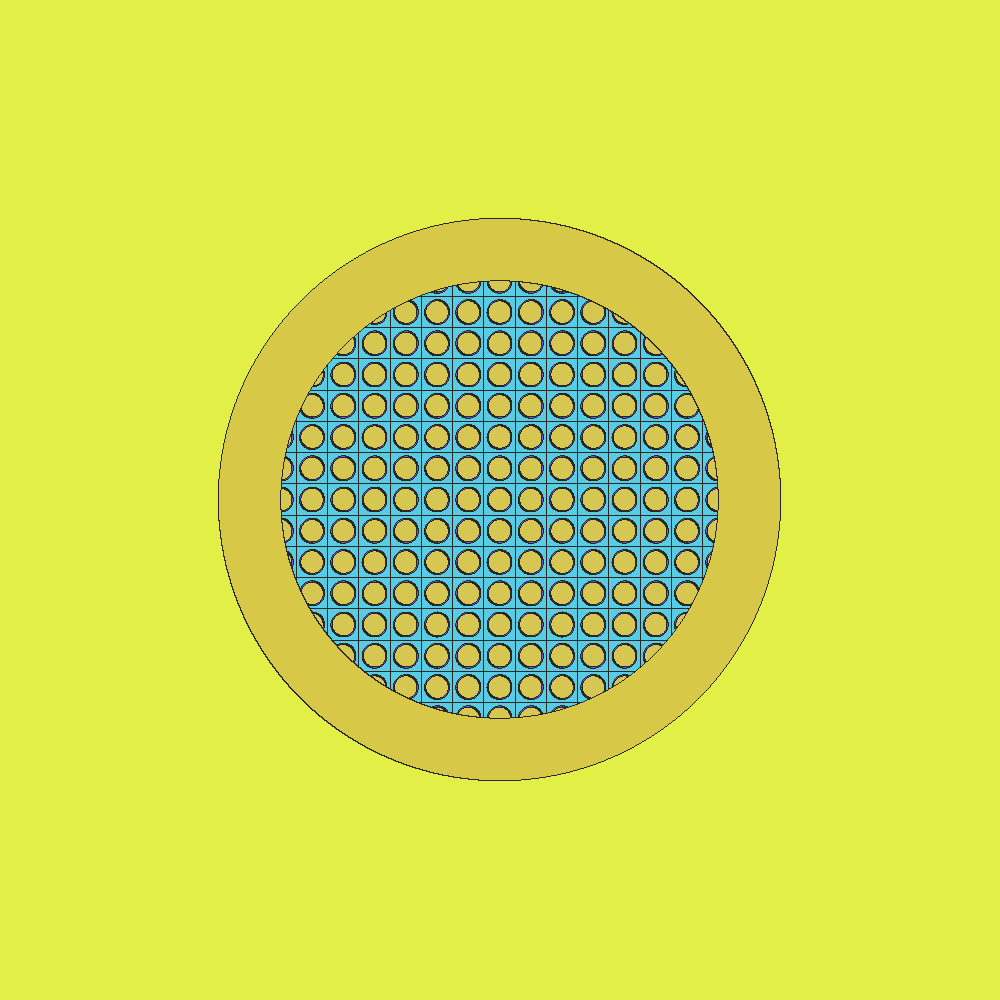
A slice, as an image (--region frames it: two corners, in cm):
llevant slice cask.i --plane z=100 --region -160,-160,-50,160,160,230 --colour material -o slice.png
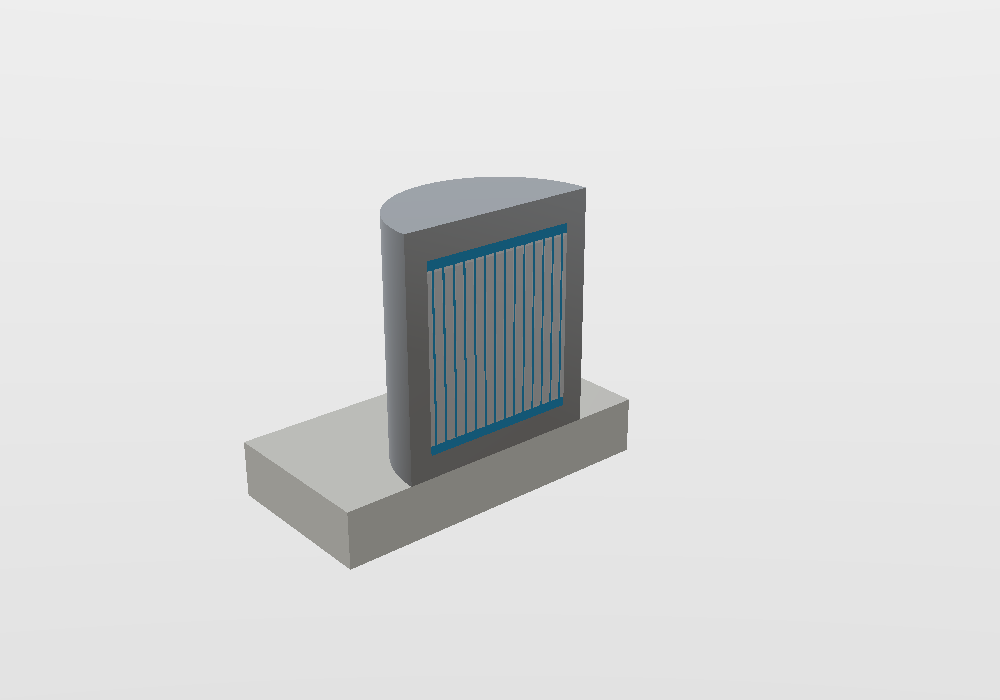
A 3D view, cut open. --hide 5 hides the air, --clip cuts the model with a
plane (a point, then the direction of the side cut away), and --colour realistic
colours each material by what it is made of:
llevant render cask.i --hide 5 --clip 0,0,0,0,-1,0 --colour realistic \
    --region -160,-160,-50,160,160,230 -o cutaway.png
Long commands
The \ at the end of a line continues the command on the next line (Linux). On
Windows, type it all on one line.
4. Find a mistake
cask-v2.i has its lid 5 cm lower, so that it overlaps the body and the cavity.
check finds gaps and overlaps by tracing lines through the whole model (--h 2: the
lines are 2 cm apart):
overlap (3, 4): 7.6960e4 ± 3.2e1 cm3 in [-70.000, -70.000, 175.000] .. [69.999, 70.000, 180.000]
overlap (2, 3): 5.0251e4 ± 2.6e1 cm3 in [-89.996, -90.000, 175.000] .. [90.000, 90.000, 180.000]
Each line names the cells that overlap, how big the overlap is and where it is. A slice through it shows it hatched in magenta (gaps are black):
llevant slice cask-v2.i --plane y=0.5 --region -160,-160,-50,160,160,230 --colour material -o overlap.png
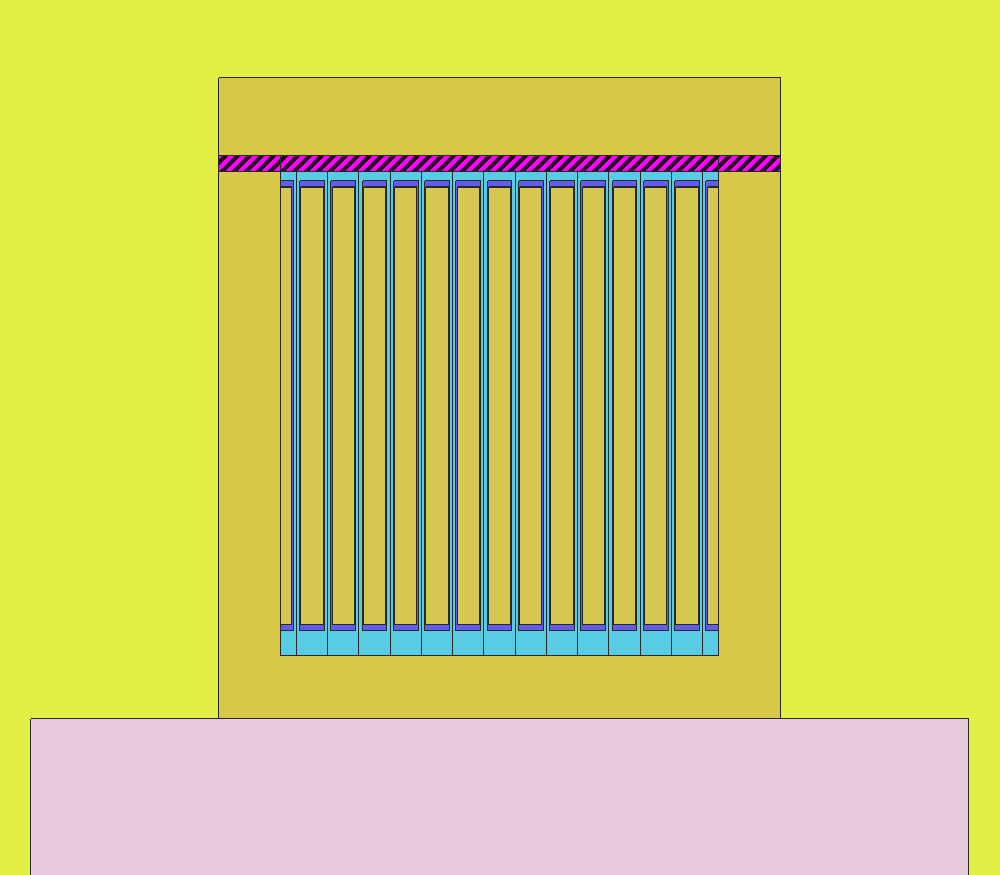
Why y = 0.5 and not y = 0?
A slice that lies exactly on a surface shows that surface in grey (the points on it are on the surface, in no cell). Real models have many surfaces at round numbers: move the slice a little off them.
5. Compare two versions
Which cells changed between the two files?
The lid (cell 3) moved, and so did the air around it (cell 5). The comparison ignores cell numbers and card order, so it still works after cells are renumbered.
6. Volumes
    material   volume (cm3)        sigma       rel
           0    8.817261e-2     4.083e-6   4.63e-5
           1     1.355243e6      3.501e1   2.58e-5
           2     8.702718e5      2.115e1   2.43e-5
           ...
sigma is the uncertainty of each volume (one standard deviation): halve --h for
a smaller one. Material 0 is void; the tiny void volume here is the outside world,
caught at the very edge of the box that is measured.
7. From Python
The same questions from Python, where the model stays loaded between questions:
import llevant

m = llevant.load("cask.i")
p = m.locate(0, 0, 100)
print(p, p.cell, p.material)          # inside 4 > 30[0,0,0] > 41   41 2
print(m.check(h=2))                   # []: no gaps or overlaps
print(llevant.load("cask-v2.i").check(h=2))
m.slice(y=0.5, colour="material").save("slice.png")   # in Jupyter, the image shows inline
Next
- How do I…?: the common jobs, step by step.
- The guides to the viewer, the command line and Python.